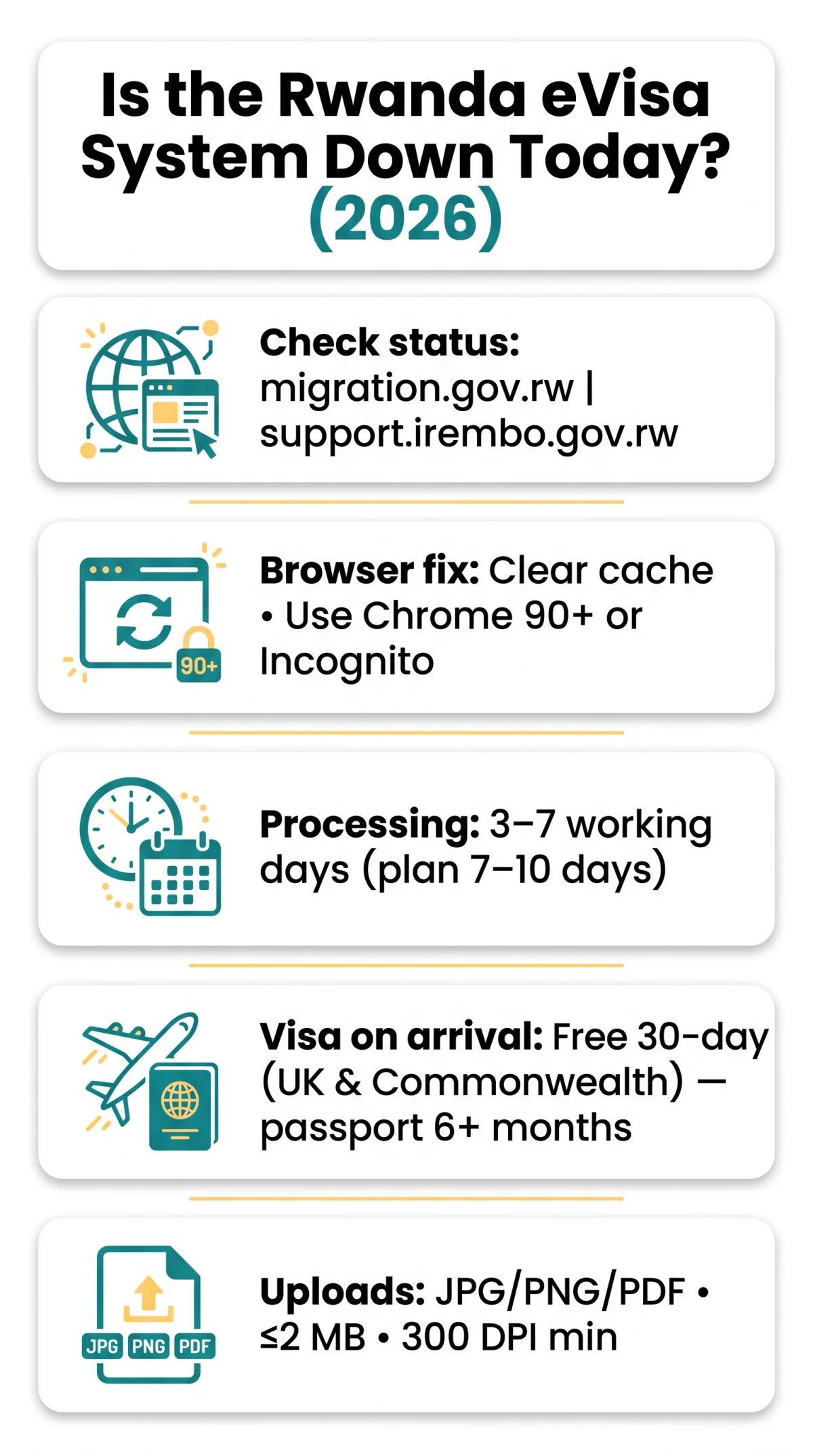
To check if the Rwanda eVisa system is down today, visit support.irembo.gov.rw and migration.gov.rw for updates. You can also use or to check whether the outage is global. If those show the site is up, clear your browser cache, switch to Chrome 90+, or open an incognito window. UK/Commonwealth citizens can always fall back on a free 30-day visa on arrival at Kigali Airport.
The Rwanda eVisa system is submitted through the IremboGov portal, managed by the Directorate General of Immigration and Emigration (DGIE). Platform-wide outages on IremboGov affect all eVisa processing. Most failures, however, stem from local browser cache issues, file upload limits, or payment gateway timeouts rather than actual system downtime.
All contact details and system requirements in this guide were last verified on 12 September 2026. This is an independent informational guide; for current government policy, always check migration.gov.rw.
Is the Rwanda eVisa System Down Today? How to Check the Status
Check migration.gov.rw and support.irembo.gov.rw for outage notices. If the site loads elsewhere, clear your cache or switch to Chrome 90+ to resolve local issues.
Search @Rwandamigration on X/Twitter for real-time system outage reports. If the portal loads on another device, the problem is local – proceed to the browser fixes below.
| Tool / Source | URL | What it checks |
|---|---|---|
| migration.gov.rw | https://www.migration.gov.rw/ | DGIE outage banners, maintenance notices |
| support.irembo.gov.rw | https://support.irembo.gov.rw/ | IremboGov knowledge base, known issues |
| Whether the site is down globally | ||
| Server response from multiple locations | ||
| X / Twitter | @Rwandamigration | Real-time user reports and DGIE updates |
Browser Compatibility & Cache Clearing for IremboGov
The Rwanda eVisa system on IremboGov runs best on Chrome 90+, Firefox 90+, Edge 90+, or Safari 14+. Internet Explorer is unsupported and will cause rendering failures across the application form. Browser compatibility issues are the most common cause of false system downtime reports.
| Browser | Minimum Version | Status | Notes |
|---|---|---|---|
| Google Chrome | 90+ | Supported | Best performance |
| Mozilla Firefox | 90+ | Supported | Reliable across all steps |
| Microsoft Edge | 90+ | Supported | Chromium-based, stable |
| Safari | 14+ | Supported | Mobile Safari may show rendering quirks |
| Internet Explorer | n/a | Unsupported | Switch to a modern browser |
The Rwanda eVisa system requires JavaScript enabled and pop-ups allowed for the payment gateway to function.
Clearing Cache and Incognito Mode
Clear cache and cookies via Ctrl+Shift+Del (Windows) or Cmd+Shift+Del (Mac). Opening an incognito or private window bypasses cached data entirely – a quick diagnostic to confirm whether the issue is browser-side rather than a platform outage.
Common IremboGov Error Messages and How to Fix Them
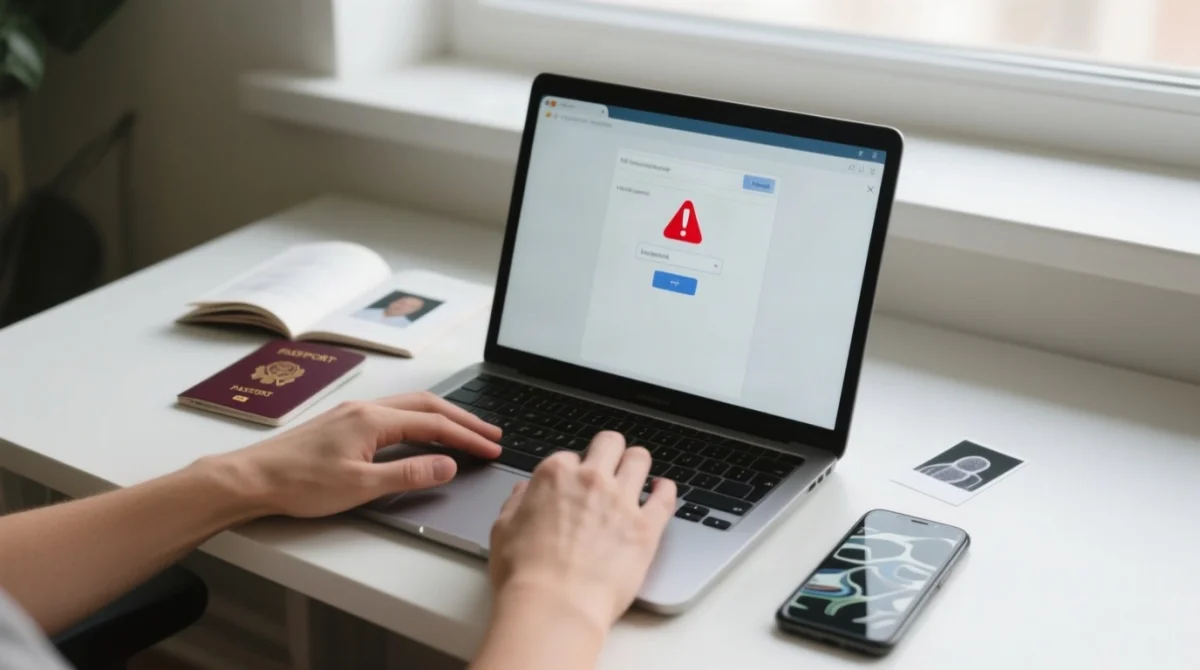
The Rwanda eVisa system on IremboGov most frequently returns HTTP Error 429 rate limiting, payment gateway timeouts, and Cloudflare verification loops.
Resolving Error 429: Too Many Requests
The Rwanda eVisa system triggers HTTP Error 429 when the server rate-limits your IP after too many rapid requests.
Wait 5-10 minutes
Wait 5-10 minutes before retrying.
Disable VPN
Turn off any VPN connection.
Switch network
Switch network (WiFi to mobile data or vice versa).
Clear browser cookies
Clear your browser cookies.
Try a different device
Try a different device.
Payment Gateway Timeout: What to Do
Check bank statement
Check for a pending or processed charge
Do NOT retry immediately
Avoid a double charge
Wait 15 minutes
Then check IremboGov for application status
Email if unconfirmed
Contact [email protected] with your bank reference
Cloudflare Verification Loop: How to Get Past It
The Rwanda eVisa system uses Cloudflare Turnstile anti-bot checks that can loop when script blockers interfere.
- Disable script blockers (uBlock Origin, NoScript).
- Disable aggressive privacy extensions.
- Change DNS to Google DNS (8.8.8.8 / 8.8.4.4).
- Try a different browser or device.
Fixing Document Upload Errors on IremboGov
The Rwanda eVisa system accepts passport scans and biometric photos as JPG, PNG, or PDF files with a maximum 2 MB file size limit.
| Upload Error | Cause | Fix |
|---|---|---|
| File too large | Exceeds 2 MB limit | Compress image below 2 MB using a tool like TinyPNG |
| Wrong format | HEIC, TIFF, or BMP not accepted | Convert to JPG, PNG, or PDF |
| Blurry scan | Low resolution or poor lighting | Rescan at minimum 300 DPI; ensure all text is legible |
| Upload timeout | Unstable or weak connection | Switch to stable broadband; avoid mobile data |
| Session expired | Page left idle during upload | Save form data first, then upload immediately |
Mobile vs. Desktop – Best Device for eVisa Application
The Rwanda eVisa system renders its upload interface most reliably on a desktop or laptop. Mobile browsers – particularly iOS Safari – exhibit inconsistent file-picker behaviour and shorter session timeouts. If you must use a phone, switch to landscape mode over stable WiFi.
How to Contact Rwanda eVisa Support – All Channels
The Rwanda eVisa system can be escalated to DGIE at [email protected] or +250-788-152-222 (hotline 9090), Mon-Fri 8:00 am-5:00 pm CAT (UTC+2). For passport-specific queries, email [email protected]; for permit queries, [email protected]. UK residents should contact the High Commission in London at [email protected] or +44 (0)207 224 9832, Mon-Fri 9:30 am-1:00 pm & 2:00 pm-5:00 pm GMT.
Include in your request: application reference number, error screenshots, browser and device used, date/time of the error, and any payment reference. Live chat is available at support.irembo.gov.rw.
| Channel | Contact | Hours | Best for |
|---|---|---|---|
| DGIE Email | [email protected] | Mon-Fri 8 am-5 pm CAT | Platform errors, payment issues |
| DGIE Phone | +250-788-152-222 / 9090 | Mon-Fri 8 am-5 pm CAT | Urgent status checks |
| DGIE Address | KG 7 Ave, Kigali, Rwanda | – | In-person visits |
| High Commission London | +44 (0)207 224 9832 | Mon-Fri 9:30 am-1 pm & 2-5 pm GMT | UK consular escalation |
| IremboGov Live Chat | support.irembo.gov.rw | Real-time | Quick portal questions |
How to Recover a Lost eVisa Application Reference
- Check your email inbox and spam folder for a confirmation from IremboGov.
- Check SMS if you provided a phone number during application.
- Log back into the Rwanda eVisa system – your draft may be saved automatically.
- If all else fails, contact DGIE with your full name, passport number, and application date.
Visa on Arrival as a Backup When the eVisa System Is Down
UK and Commonwealth citizens qualify for a free 30-day visa on arrival at Kigali International Airport, avoiding costly third-party eVisa service fees. If the Rwanda eVisa system is down close to your departure, this fallback requires no advance application. Bring a passport valid for 6+ months, a return flight booking, and proof of accommodation.
| Factor | eVisa | Visa on Arrival |
|---|---|---|
| Cost | Free (government portal) | Free |
| Processing time | 3-7 working days | 15-30 min queue at airport |
| Advance planning | Required | Not required |
| Validity | 30 days | 30 days |
| Best for | Skipping airport queue | Emergency when system is down |
Government vs Third-Party eVisa Portals – Avoid Unnecessary Fees
The Rwanda eVisa system is free on migration.gov.rw and support.irembo.gov.rw (IremboGov). Third-party sites like charge $159.00 USD for a tourist e-visa that is free for Commonwealth citizens. offers 24/7 WhatsApp support and claims a 99.5% success rate, but adds service fees on top of a process that costs nothing through the government route. Standard eVisa processing takes 3 to 7 working days; plan at least 7-10 days ahead.
| Portal | Type | Cost for UK/Commonwealth | Notes |
|---|---|---|---|
| migration.gov.rw / IremboGov | Government | Free | Direct DGIE platform |
| Third-party | $159.00 USD | Intermediary service fee, 24/7 phone & email support | |
| Third-party | Service fee applies | 24/7 WhatsApp support, 99.5% success rate (self-reported) | |
| Visa on arrival (Kigali Airport) | Government | Free | 30-day, no advance application |
Rwanda eVisa Troubleshooting FAQ
How long does Rwanda eVisa processing take?
Standard processing takes 3 to 7 working days. Plan at least 7-10 days before travel.
Do UK citizens need a visa for Rwanda?
UK citizens qualify for a free 30-day visa on arrival at Kigali airport. An eVisa is optional.
Can I extend my Rwanda eVisa?
Yes. Apply through IremboGov or visit DGIE in Kigali before your current visa expires.
How do I check my Rwanda eVisa application status online?
Log in to your IremboGov account and navigate to your application dashboard. You should also receive email or SMS notifications.
What payment methods are accepted on IremboGov?
IremboGov accepts debit and credit card payments processed through a 3D-Secure gateway.
Why does my eVisa application keep timing out?
Common causes: slow internet, expired browser session, or ad-blocker interference. Clear cache and try again on a stable broadband connection.
Is it safe to use a third-party visa agent for Rwanda?
Third-party agents are legal but charge $30-$100+ in service fees for a process you can do free on government portals. UK citizens can skip the eVisa entirely and get a free visa on arrival.
What should I do if my eVisa payment was charged twice?
Check your bank statement first. If two charges appear, email [email protected] with both transaction references. Do not attempt a third payment.
Can I apply for a Rwanda eVisa on my phone?
You can, but a desktop or laptop is strongly recommended. Mobile browsers may have upload and session limitations.
What happens if the system goes down mid-submission?
Your draft may be saved in IremboGov. Log back in to check. If a payment was processed, contact DGIE with your bank reference.