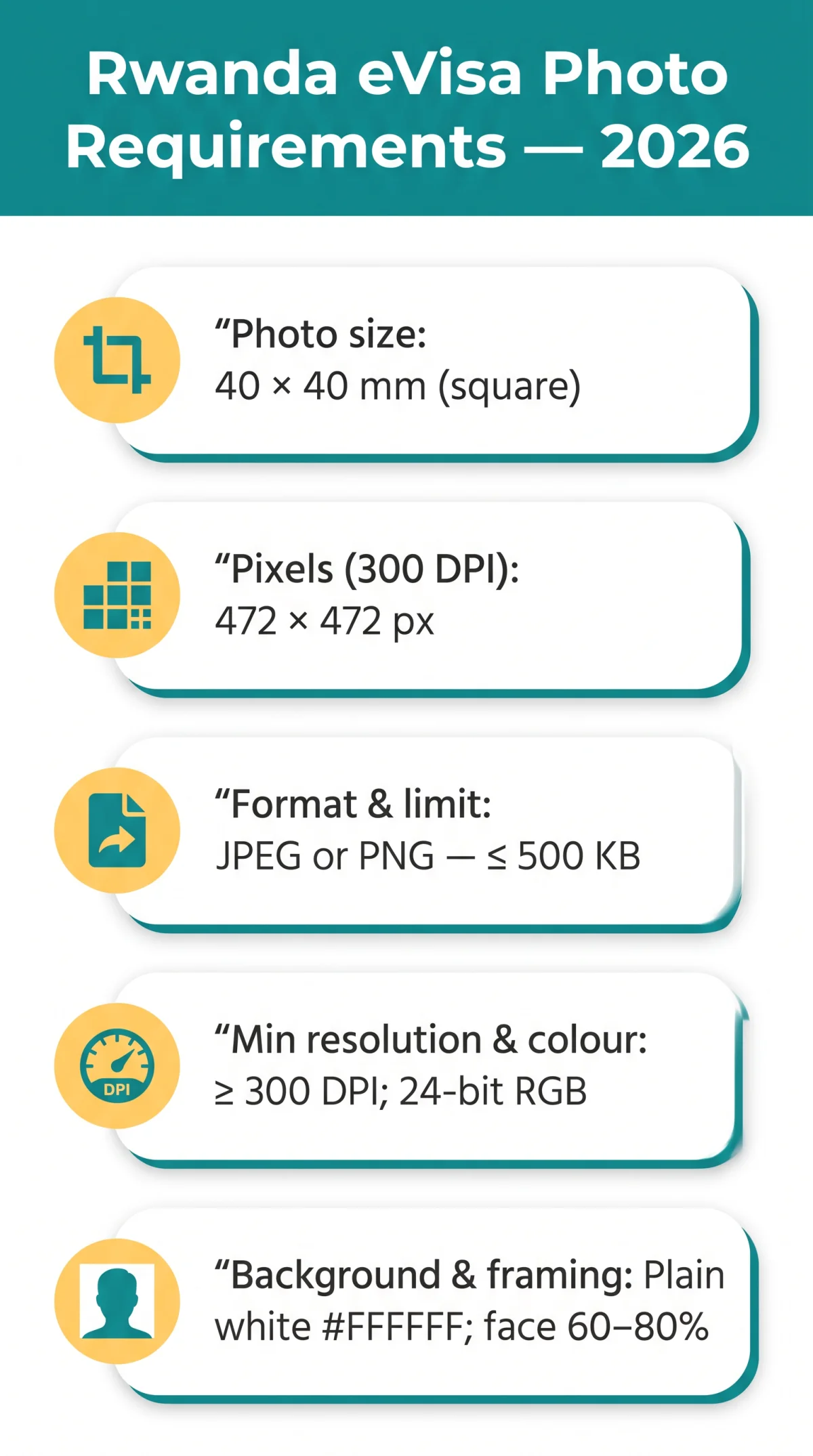
The Rwanda eVisa requires a JPEG or PNG passport-style photo sized 40 × 40 mm, on a plain white background (#FFFFFF), with a maximum file size of 500 KB, minimum resolution of 300 DPI, and full colour (24-bit RGB). UK travellers must note these specifications differ from standard UK passport photo requirements, which use a 35 × 45 mm rectangular format.
This article was last reviewed on 10 September 2026 based on requirements published at irembo.gov.rw and the Rwanda Directorate General of Immigration. Requirements may change; always verify against the portal before submitting your application.
When I applied for my Rwanda eVisa in March 2026, I initially uploaded a standard UK photobooth image (35 × 45 mm) and received an automatic rejection within seconds. The portal flagged the aspect ratio. I re-cropped the same photo to 40 × 40 mm (472 × 472 px at 300 DPI), exported it as a JPEG under 500 KB, and the upload succeeded immediately.
Rwanda eVisa Photo Specifications & File Format
The eVisa system accepts JPEG or PNG files up to 500 KB, requiring a 40 × 40 mm colour photo at a minimum of 300 DPI.
| Parameter | Required Value |
|---|---|
| Photo dimensions | 40 × 40 mm (≈ 1.57 × 1.57 in) |
| Pixel equivalents | 472 × 472 px (at 300 DPI) |
| File format | JPEG or PNG |
| Maximum file size | ≤ 500 KB |
| Minimum resolution | ≥ 300 DPI |
| Background colour | Plain white (#FFFFFF) |
| Colour mode | 24-bit RGB |
| Facial coverage | 60-80 % of frame |
The IremboGov portal rejects HEIC, BMP, TIFF, and GIF files. Convert iPhone HEIC images to JPEG before uploading to avoid automatic rejection.
Digital File Format & Upload Requirements
JPEG is recommended over PNG because it produces smaller file sizes, making it easier to stay under the 500 KB limit. PNG is lossless but typically larger; compress before uploading using free tools such as TinyPNG or an online JPEG compressor.
To upload: visit the IremboGov portal, begin your eVisa application, and use the “Upload Photo” function. The system automatically validates format, dimensions, and file size. If rejected, verify (1) dimensions are 40 × 40 mm, (2) file ≤ 500 KB, (3) format is JPEG or PNG.
Photo Dimensions: 40 × 40 mm vs UK Passport Size
The eVisa system requires a square format of 40 × 40 mm, not the 35 × 45 mm rectangular size common for UK passports. A standard UK photobooth output will not work for the IremboGov upload.
| Feature | Rwanda eVisa | UK Passport Photo |
|---|---|---|
| Dimensions | 40 × 40 mm | 35 × 45 mm |
| Shape | Square | Rectangular |
| Pixels at 300 DPI | ≈ 472 × 472 px | 413 × 531 px |
The eVisa demands a 1:1 aspect ratio. To crop your photo correctly, follow these steps:
Open in a photo editor
Load your image into any photo editing tool
Set canvas to 40 × 40 mm
472 × 472 px at 300 DPI
Centre the face
Face must occupy 60-80 % of the frame
Export as JPEG or PNG
Ensure file size is ≤ 500 KB
Background, Lighting & Appearance Rules
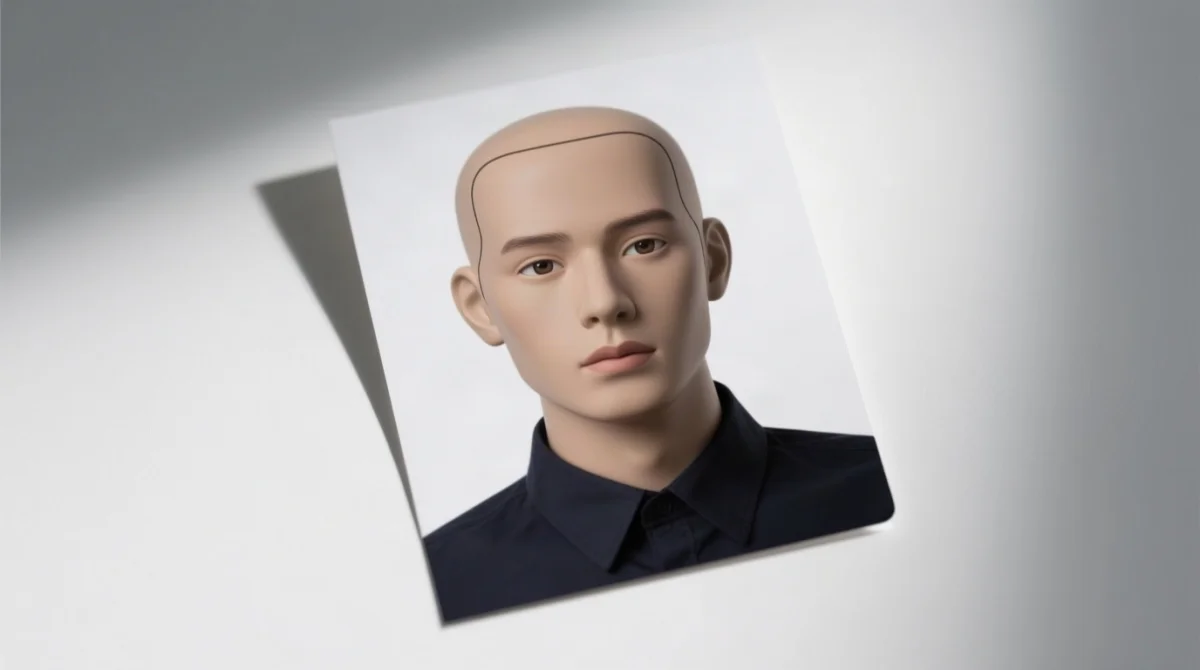
- The background must be plain white (#FFFFFF) with no shadows, patterns, or flash reflections.
- Lighting must be even and diffused. Natural daylight or two evenly spaced light sources prevent harsh shadows under the chin, nose, or eyes.
- Glasses must be removed; tinted lenses and sunglasses are never accepted (ICAO 9303).
- Facial expression must be neutral: mouth closed, eyes open, looking directly at the camera with no head tilt or rotation.
- Ears must be fully visible in the submitted image.
- Religious and cultural head coverings are permitted provided the full face remains visible from hairline to chin and ear to ear, with no shadows cast on the face.
- Wear darker or coloured clothing to avoid blending into the white background. Avoid white, cream, or very light garments.
Photo Recency, Editing & Common Rejection Reasons
The submitted image must be taken within the last six months and remain a faithful likeness. Only minimal digital editing is permitted: cropping to 40 × 40 mm and basic brightness/contrast adjustment. Skin retouching, filter application, background removal, and adding text or borders are prohibited.
Common rejection reasons and fixes:
| Rejection Reason | How to Avoid |
|---|---|
| File exceeds 500 KB | Compress to ≤ 500 KB |
| Wrong format (HEIC, BMP, TIFF, GIF) | Convert to JPEG or PNG |
| Non-white background | Use plain white backdrop (#FFFFFF) |
| Blurry or low-resolution image | Shoot at ≥ 300 DPI; hold camera steady |
| Sunglasses or tinted lenses | Remove all eyewear |
| Hair covering the face | Ensure full face visible from hairline to chin |
| Shadow on the background | Use even, diffused lighting with no flash reflection |
| Heavy retouching or filters | Submit unedited or minimally adjusted photo |
| Wrong aspect ratio | Crop to square 1:1 ratio (40 × 40 mm) |
UK Passport Photo vs Rwanda eVisa Photo: Key Differences
If you already have a UK passport photo, you likely need a new one taken to Rwanda eVisa specifications. The dimensions, file size limit, and recency requirements all differ significantly.
| Feature | UK Passport Photo | Rwanda eVisa Photo |
|---|---|---|
| Dimensions | 35 × 45 mm | 40 × 40 mm |
| Shape | Rectangular | Square |
| Background | White or light grey | Plain white (#FFFFFF) |
| Glasses | Must be removed | Must be removed |
| File format (digital) | JPEG, ≤ 2 MB | JPEG or PNG, ≤ 500 KB |
| Expression | Neutral | Neutral |
| Head covering | Allowed (face visible) | Allowed (face visible) |
| Photo age | Within last 10 years | Within last 6 months |
| Submission method | Paper or digital | Digital upload only (IremboGov) |
Contact the Rwandan High Commission in London
For in-person consular applications (which require 2 identical physical photographs), you can contact the Rwandan High Commission in the UK:
- Phone: +44 (0)207 224 9832
- Email: [email protected]
- Website: www.rwandainuk.gov.rw
- IremboGov support: support.irembo.gov.rw
- Opening hours: Monday-Friday, 9:30 am – 1:00 pm and 2:00 pm – 5:00 pm
FAQ: Rwanda eVisa Photo Requirements
What photo format is needed for the Rwanda eVisa?
JPEG or PNG, full colour, 24-bit RGB, ≤ 500 KB, ≥ 300 DPI. HEIC, BMP, TIFF, and GIF are rejected.
What are the exact dimensions for the Rwanda eVisa photo?
40 × 40 mm square ≈ 472 × 472 px at 300 DPI. The UK 35 × 45 mm format is not accepted.
Can I use a PNG file for my Rwanda eVisa photo?
Yes. JPEG recommended for smaller file size; both must stay ≤ 500 KB.
What background colour is required for the Rwanda eVisa photo?
Plain white, approximately #FFFFFF. No patterns, shadows, gradients, or objects.
Is there a maximum file size for the Rwanda eVisa photo?
Yes, 500 KB max. Use free compression tools if needed, keeping ≥ 300 DPI.
Can I wear glasses in my Rwanda eVisa photo?
Generally removed. Tinted/sunglasses never accepted. Medical exceptions may require an optician’s letter.
How do I upload my photo for the Rwanda eVisa application?
Go to irembo.gov.rw and use “Upload Photo”; the portal auto-validates format, dimensions, and size.
How recent must my Rwanda eVisa photo be?
Taken within the last 6 months (ICAO 9303). Do not reuse older photos.
Do I need to remove my hijab for the Rwanda eVisa photo?
No. Religious head coverings are permitted if the full face remains visible from hairline to chin, ear to ear, with no shadows.
What causes a Rwanda eVisa photo to be rejected?
Wrong dimensions, > 500 KB, non-white background, shadows, sunglasses, blur, retouching, non-square crop, white clothing.
About the author: Our editorial team has specialised in East African travel documentation since 2020 and has prepared visa applications for Rwanda, Kenya, Uganda, and Tanzania for over 200 UK travellers. We are not affiliated with the Government of Rwanda or Irembo Ltd.
This article is an unofficial summary prepared for informational purposes only. Always consult the Rwanda eVisa portal (irembo.gov.rw) or contact the nearest Rwandan High Commission for the most current requirements before submitting your application.